Form builder & form filler
A data-exchange environment for internal and external users — replacing the PDF-over-email ritual with something the system can actually read.
- Role
- Product designer — end to end
- Industry
- Insurance & claims · Regulated
- Surface
- Web platform + external respondent flow
- Scope
- UX architecture, conditional logic, mobile, specs
 Form builder — sections & field library
assets/img/form-builder-01.png
Where this started
Employees needed a way to share and request data in a safe, standardized, controlled environment — one fully integrated with their main case management system, so they could stop relying on disorganized emails, drives, spreadsheets and PDFs.
They were often managing dozens of cases at a time, each one needing its process to be as timely and professional as the next. And very commonly, the same form needed to pass between different people before it was complete.
What needed to be true
Forms tended to be a foreign, isolated document that was manually transcribed into the case management system — leading to errors, huge time loss, and the decentralization of documents and data that should have lived in one place.
There was also no way to register events or gather metrics on those external files, whether for auditing or for integration with other features like workflows and tasks.
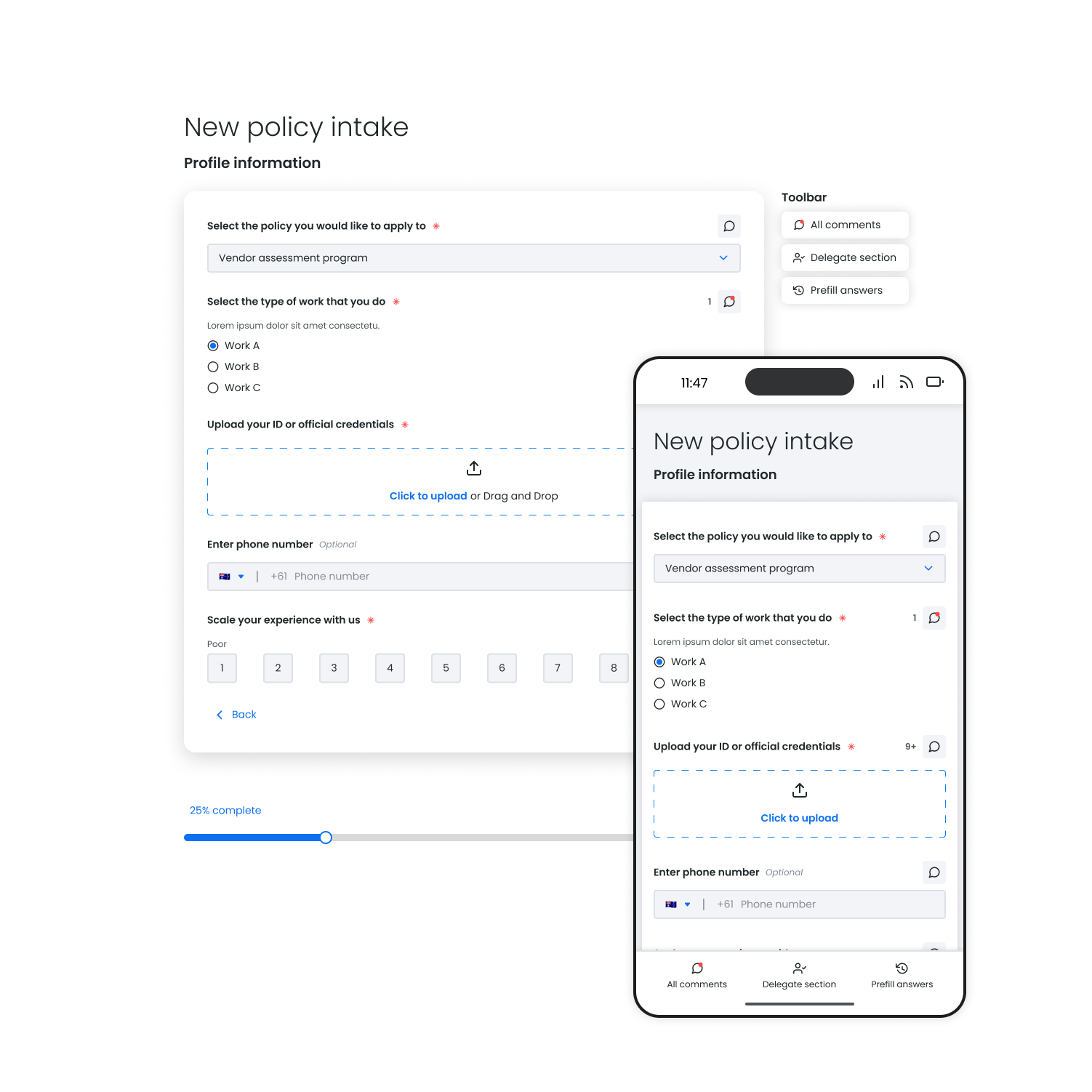 Respondent view — save, delegate, comment
assets/img/form-builder-02.png
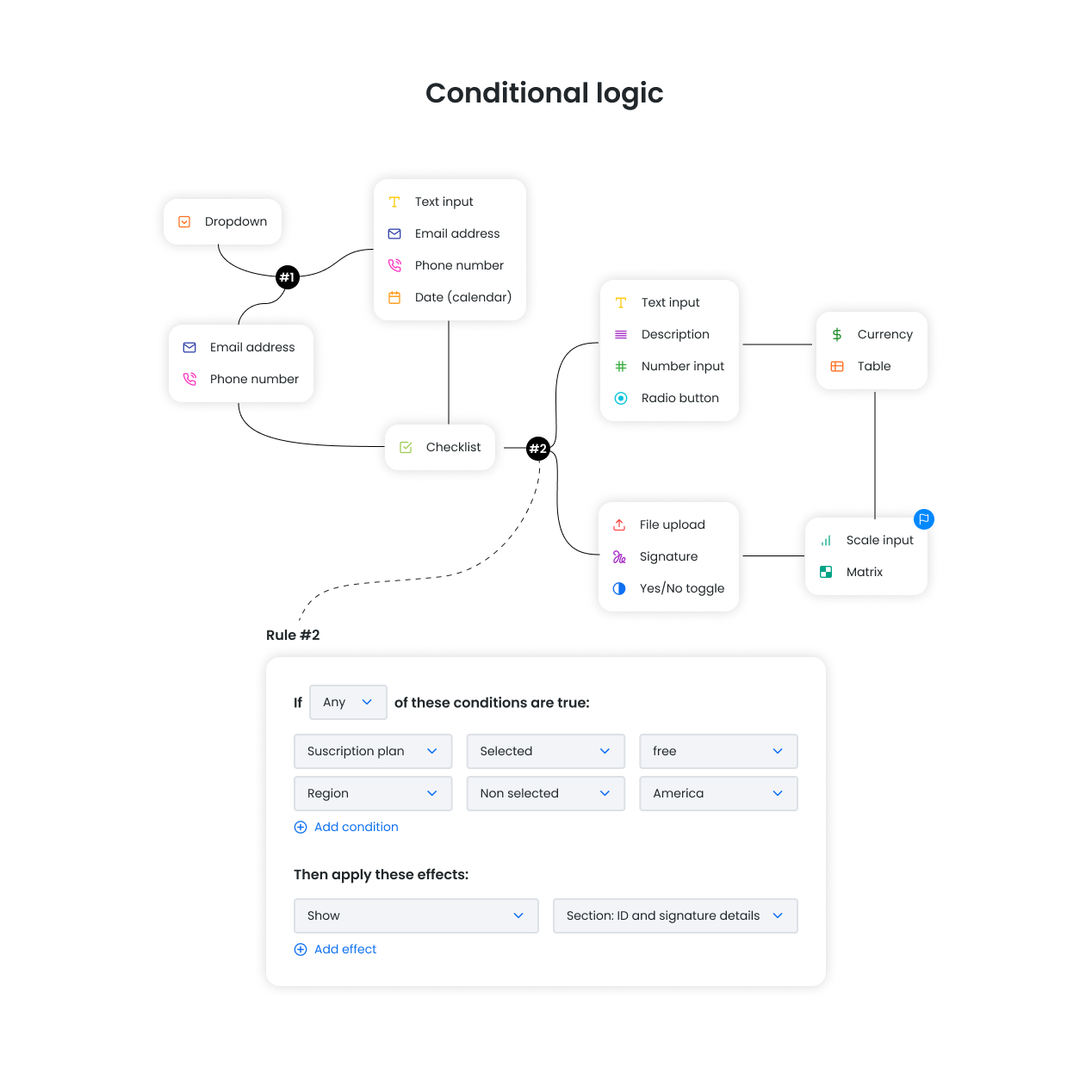 Conditional logic setup
assets/img/form-builder-03.png
The hard parts
- Form template organization and setup
- Versioning
- Conditional logic
- Progress saving across sessions
- Delegating a section of the form to someone else to fill out
- Commenting, so a respondent can ask and a case owner can guide
- Prefilling based on previous answers
- A seamless but secure login experience for long, tedious forms
- Mobile filling of complex fields like tables
What we built
A drag-and-drop experience for breaking complex, long forms into manageable sections that any non-technical user could set up and update.
The forms now act as a data-exchange environment: the company can also push information out to the end customer — downloadable file resources, images, video. The customer can save progress and come back later, request someone else to fill a specific section, and comment with questions so the case owner can guide them through.
 Mobile table field
assets/img/form-builder-04.png
What changed
- Centralized, better-organized data for each submission
- Management of submission reviews and approvals
- A direct link between a submission and its workflow case
- Logs and metrics on submission behaviour for auditing purposes
- Dynamic forms that adapt to the customer’s answers — shorter response times and better completion rates than the standard PDF, Excel or Word document sent over email